How Does a Touch Button Switch Detect Input?
A Touch Button Switch operates without mechanical movement. Instead of relying on physical contact closure, it senses input through technologies such as capacitive, resistive, or piezoelectric detection. When a finger approaches or touches the sensing surface, the switch registers a change in electrical characteristics and converts it into a control signal.
From a practical perspective, the absence of moving parts reduces mechanical wear and eliminates issues such as contact bounce. This makes touch buttons suitable for applications where frequent operation is expected or where traditional actuators would degrade quickly. Flat surfaces also simplify cleaning, which is useful in medical devices, food-related equipment, or public-use terminals.
However, users should be aware of environmental sensitivity. Capacitive touch buttons may respond differently depending on humidity, gloves, or grounding conditions. Proper calibration and installation spacing help reduce unintended activation. For system designers, selecting the correct sensing method based on environment and user behavior is more important than focusing solely on appearance.
What Distinguishes Touch Pushbutton Switches in Applications?
Touch Pushbutton Switches expand on the basic touch concept by emphasizing user feedback and control logic. While still non-mechanical, these switches are often designed to emulate the function of traditional pushbuttons within a touch-based interface.
In many systems, touch pushbuttons are paired with control electronics that define response time, activation thresholds, and signal filtering. This allows designers to tailor how deliberate a touch must be before the system reacts. For example, short contact may be ignored, while a longer press triggers a command. This behavior reduces accidental operation in busy environments.
Another consideration is integration with existing control systems. Touch pushbutton switches often output low-level signals that require interface circuits or controllers. Users should confirm compatibility with relays, PLC inputs, or microcontrollers. When integrated thoughtfully, these switches provide a balance between modern interaction and functional clarity.
Why Add Illumination with LED Touch Button Switches?
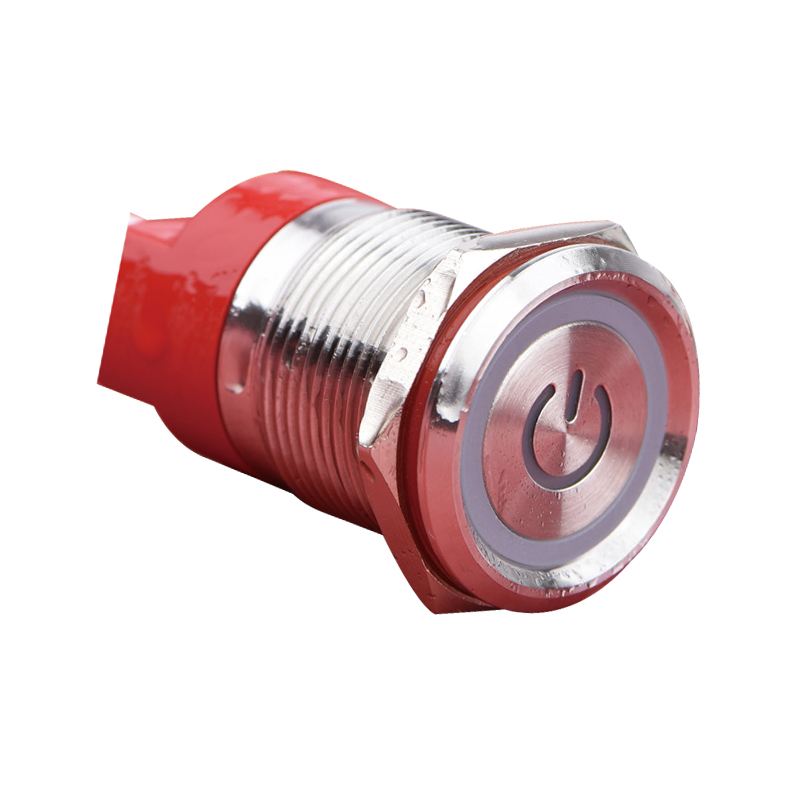
An LED Touch Button Switch combines touch sensing with integrated visual indication. The LED does more than decorate the interface; it communicates system status, availability, or user confirmation. This is especially useful in low-light environments or when multiple controls are located close together.
The illumination can be configured to respond in different ways. Some designs keep the LED on continuously to indicate power presence, while others change color or brightness after activation. This immediate feedback reassures users that their input has been recognized, reducing repeated touches or uncertainty.
From a design standpoint, users should consider LED voltage, power consumption, and heat dissipation. Continuous illumination may require thermal planning, particularly in sealed enclosures. It is also important to separate the touch sensing circuit from the LED drive circuit to prevent interference. When these factors are addressed early, LED touch buttons enhance usability without adding operational complexity.
How Should Users Choose Between These Touch Options?
Selecting the right touch-based switch begins with understanding usage context. A basic touch button switch may suit clean, controlled environments with simple control needs. Touch pushbutton switches offer more flexibility where intentional input and system logic matter. LED-enhanced versions provide visibility and feedback when user assurance is important.
Environmental factors play a key role. Moisture, electrical noise, and user conditions such as gloves can influence performance. Reviewing sensitivity settings, response time, and installation guidelines often provides clearer guidance than comparing surface appearance alone.
Practical Reflections on Touch-Based Control Design
Touch Button Switch solutions focus on non-contact input, Touch Pushbutton Switches emphasize controlled interaction, and LED Touch Button Switch designs add visual communication to the experience. When applied thoughtfully, they help systems feel more intuitive while maintaining functional clarity. Over time, this approach supports cleaner panel layouts, reduced maintenance concerns, and more confident user interaction without relying on unnecessary complexity.


 русский
 Español